
In today’s fast-moving digital economy accepting credit and debit card payments is no longer optional, it’s essential. Whether you run a small retail shop, a restaurant, or an online business, having a reliable credit card processing system ensures smooth transactions, happier customers, and faster cash flow. But with dozens of providers on the market, choosing the right one can be confusing and costly if you don’t know what to look for.
This guide explores the best credit card processing companies for small businesses in 2026, comparing their features, fees, and benefits.
You’ll discover which processors offer the best rates, the easiest setup, and the strongest security, helping you make an informed decision that supports your business growth.
What Is Credit Card Processing?
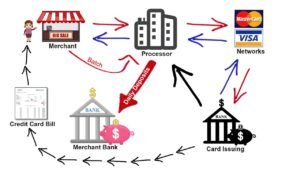
Credit card processing is the system that allows businesses to accept payments from customers using credit or debit cards. While it may seem simple, a customer swipes their card and the payment goes through the actual process involves several steps and key players working together behind the scenes.
When a customer pays with their card the payment information is securely sent through a payment gateway to a credit card processor which communicates with the customer’s issuing bank and the business’s merchant account.
The processor verifies that the funds are available approves the transaction and ensures the money is transferred to the merchant’s account within a few days.
In short, credit card processing acts as the bridge between your customer’s bank and your business. Without it, you wouldn’t be able to accept card payments, whether in-store, online, or through a mobile app.
There’s also a difference between a credit card processor and a payment gateway.
- A processor handles the transaction’s financial aspect, the movement of funds.
- A gateway acts as the digital gatekeeper, securely transferring data between the customer, your website, and the processor.
Together, they ensure that every transaction is fast, secure and reliable building customer trust and improving your overall sales experience.
Why Choosing the Right Processor Matters
Selecting the right credit card processing company can make a big difference in how efficiently your business runs and how much profit you keep. For small businesses every percentage point in transaction fees or delay in payouts can affect cash flow and growth potential.
A good processor does more than just handle payments. It ensures fast transactions secure data encryption, transparent pricing and dependable customer support. On the other hand, choosing the wrong provider can lead to hidden fees, complicated contracts and frustrating downtime that affects your customers’ experience.
High processing fees, unexpected chargebacks, or poor integration with your point-of-sale (POS) system can also eat into your margins. That’s why it’s crucial to compare companies carefully and choose a processor that matches your business size, sales volume and preferred payment methods.
Ultimately, the right credit card processor helps your business save money, build trust, and scale with confidence, while the wrong one can cost you time, customers and revenue.
Key Factors to Consider Before Choosing a Processor
Before signing up with any credit card processing company it’s essential to understand what truly matters for your business. The best processor for a large enterprise might not be the right fit for a small local store or an e-commerce startup. Here are the key factors every business owner should evaluate:
1. Transaction Fees and Pricing Structure
Every processor charges fees, but how they’re structured can vary widely. Look for transparent pricing without hidden costs.
Common fee models include:
- Flat-rate pricing: Simple, predictable fees (ideal for small businesses).
- Interchange-plus pricing: More detailed but often cheaper for high-volume merchants.
- Subscription-based models: A monthly flat fee with lower per-transaction costs.
Compare processors carefully to avoid overpaying. Even a 0.2% difference in fees can add up over time.
2. Contract Terms and Flexibility
Some providers lock you into long-term contracts with cancellation penalties. The best credit card processors for small businesses offer month-to-month agreements and no hidden termination fees, giving you flexibility as your business grows.
3. Integration and Compatibility
Make sure your chosen processor integrates smoothly with your POS system, e-commerce platform, or accounting software. Seamless integration saves time, reduces errors and ensures your reports stay accurate.
4. Security and Compliance
Security should never be an afterthought. Ensure your processor complies with PCI DSS (Payment Card Industry Data Security Standards) and offers advanced fraud detection tools, tokenization, and encryption. This protects both your customers and your reputation.
5. Customer Support and Reliability
When payment issues arise, you need help fast. Choose a provider known for 24/7 customer support, responsive service, and a strong track record of uptime reliability.
Top Credit Card Processing Companies in 2026
Finding the right credit card processor can feel overwhelming, especially with so many options on the market. To make things easier here’s a breakdown of some of the best credit card processing companies for small businesses in 2026 based on pricing, features and reliability.
1. Square – Best Overall for Small Businesses
Why it stands out: Square is one of the most popular and beginner-friendly processors for small businesses.
- Free POS system and mobile reader
- No long-term contracts
- Transparent flat-rate pricing (around 2.6% + 10¢ per transaction)
- Best for: Retail stores, cafés, and small service providers.
- Pros: Easy setup, free tools, great analytics
- Cons: Higher fees for high-volume businesses
2. Stripe – Best for Online Businesses and Developers
Why it stands out: Stripe dominates the online payment space with powerful API tools and seamless website integrations.
- Supports global payments and multiple currencies
- Customizable checkout for websites and apps
- Competitive pricing: 2.9% + 30¢ per online transaction
- Best for: E-commerce stores and tech startups
- Pros: Highly customizable, advanced developer tools
- Cons: May be complex for beginners
3. PayPal Zettle – Best for Quick Setup
Why it stands out: PayPal’s POS solution, Zettle, offers fast onboarding and the trust of a globally recognized brand.
- Free app and low-cost card reader
- Instant access to funds through PayPal
- No monthly fees
- Best for: Freelancers, pop-up shops, and mobile vendors
- Pros: Simple setup, strong brand reputation
- Cons: Limited customization, higher online transaction fees
4. Helcim – Best for Transparent Pricing
Why it stands out: Helcim is known for honest, interchange-plus pricing with no hidden fees or contracts.
Key features:
- Automatic volume-based discounts
- Free POS and invoicing software
- Lower fees as your sales grow
- Best for: Small to medium-sized businesses processing steady volumes
- Pros: Full transparency, strong customer service
- Cons: Not ideal for very low-volume merchants
5. Chase Payment Solutions – Best for Established Businesses
Why it stands out: Backed by one of the largest U.S. banks Chase offers reliability and faster funding.
- Same-day deposits for Chase banking customers
- Online and in-person payment options
- Competitive custom rates for higher volumes
- Best for: Medium to large businesses with steady sales
- Pros: Bank-level security, fast payouts
- Cons: May require more paperwork to set up
6. Stax – Best Subscription-Based Processor
Why it stands out: Stax (formerly Fattmerchant) offers a flat monthly fee instead of per-transaction markups.
- Unlimited transactions for one subscription price
- Powerful analytics dashboard
- Excellent scalability
- Best for: Businesses processing $5,000+ per month
- Pros: Cost-effective for high-volume users
- Cons: Monthly subscription may not suit smaller sellers
7. Clover – Best POS System Integration
Why it stands out: Clover combines payment processing with one of the most advanced POS systems on the market.
- All-in-one hardware and software solution
- Inventory, employee, and customer management tools
- Works with multiple processors
- Best for: Restaurants, salons, and multi-location retailers
- Pros: Highly customizable, sleek hardware options
- Cons: Can be expensive depending on setup
Best Credit Card Processing Companies for Small Businesses
| Company | Best For | Transaction Fees | Key Features | Customer Support |
| Square | Small retail and service businesses | 2.6% + 10¢ (in-person) | Free POS system, easy setup, no contract | 24/7 live chat & email support |
| Stripe | Online businesses & developers | 2.9% + 30¢ (online) | Advanced APIs, global payments, customizable checkout | 24/7 support via chat and email |
| PayPal Zettle | Freelancers & mobile sellers | 2.29% + 9¢ (in-person) | Quick setup, PayPal integration, free app | Business hours support |
| Helcim | Transparent pricing for SMBs | Interchange + 0.25% + 8¢ | Free POS, volume discounts, no contracts | 24/7 phone & email support |
| Chase Payment Solutions | Established and larger businesses | Custom rates (depends on volume) | Fast funding, bank integration, reliable uptime | Dedicated account managers |
| Stax | High-volume merchants | Monthly fee + interchange (no % markup) | Unlimited transactions, strong analytics | U.S.-based 24/7 support |
| Clover | Restaurants & multi-location retailers | Varies by processor | All-in-one POS hardware/software, app marketplace | 24/7 phone support |
How to Get Started with Credit Card Processing
Getting started with credit card processing might sound complicated but it’s actually quite simple once you understand the basic steps. Whether you own a physical store or run an online business the setup process follows the same key stages:
1. Evaluate Your Business Needs
Before choosing a processor, think about how and where you’ll accept payments.
- Do you process more in-person or online transactions?
- Do you need mobile payments or recurring billing?
- What’s your average monthly sales volume?
Understanding your needs helps you pick a processor that fits your specific operations and avoids paying for features you don’t use.
2. Compare Providers and Pricing
Review at least three different credit card processing companies. Focus on:
- Transaction fees and hidden charges
- Contract length and cancellation terms
- Customer support quality
- Integration with your POS or website
Use comparison tools and user reviews to see how each provider performs for businesses similar to yours.
3. Open a Merchant Account (If Needed)
Some processors like Square and PayPal don’t require a separate merchant account, while others do.
A merchant account is a special type of bank account that holds your funds temporarily until they’re transferred to your business account.
4. Set Up Your Equipment or Online Gateway
- For physical stores, you’ll need a card reader or POS system.
- For online stores, set up a payment gateway integrated with your website or checkout page.
- Make sure the setup supports major card brands like Visa, Mastercard, and American Express.
5. Test and Go Live
Before accepting real payments, do a few test transactions to ensure everything runs smoothly — from authorization to receipt generation.
6. Maintain Security and Compliance
Always keep your system updated and compliant with PCI DSS standards. Use strong passwords, enable encryption, and educate your staff about payment security best practices.
Common Mistakes to Avoid
Even though credit card processing seems straightforward many small business owners fall into common traps that can cost them time, money and customer trust. Understanding these mistakes early can save you from expensive headaches later.
1. Ignoring Hidden Fees
Many providers advertise low transaction rates but hide extra costs like monthly maintenance fees, PCI compliance fees, or chargeback penalties. Always read the fine print before signing a contract and ask for a full breakdown of all possible charges.
2. Choosing the Wrong Pricing Model
- Not all pricing models work for every business.
- Flat-rate plans are great for small, low-volume merchants.
- Interchange-plus models work better for higher sales volumes.
- Choosing the wrong one could mean paying hundreds more in unnecessary fees each month.
3. Overlooking Contract Terms
Some companies lock you into long-term contracts with early termination fees or automatic renewals. To stay flexible, look for month-to-month or no-contract options that let you switch providers if needed.
4. Ignoring Integration and Compatibility
Your payment system should integrate easily with your existing tools — such as your POS system, accounting software, or e-commerce platform. Without smooth integration, you risk errors in tracking sales, managing inventory, and handling refunds.
5. Neglecting Security and Compliance
Failing to follow PCI DSS requirements or update your software can expose your business to fraud and data breaches. Protect your customers and your reputation by ensuring your processor provides top-level encryption, tokenization, and fraud detection.
6. Not Training Your Staff
Your employees should understand how to handle transactions, refunds, and disputes. Proper training minimizes mistakes and helps maintain a professional, trustworthy customer experience.
FAQs — Credit Card Processing for Small Businesses
1. Are credit card processing fees subject to sales tax?
In most regions, credit card processing fees are considered a business expense and are not subject to sales tax. However, rules can vary by state or country, so it’s best to consult a tax professional.
2. Do credit cards process on weekends?
Yes, transactions can be authorized on weekends or holidays, but fund transfers to your bank account may only occur on business days, depending on your processor.
3. What is a virtual terminal for processing credit cards?
A virtual terminal allows you to accept credit card payments manually through a web browser, without needing a physical card reader. It’s ideal for phone orders or remote transactions.
4. Why does my business need credit card processing?
Accepting credit cards expands payment options for customers, increases sales, improves cash flow, and builds trust. Without it, you may lose potential customers who prefer digital payments.
5. How do I process credit card payments online?
You need a payment gateway integrated with your website or e-commerce platform. Customers enter their card details securely, the processor verifies the payment, and funds are transferred to your merchant account.
6. Is credit card processing secure?
Yes, when using a reputable processor. Modern systems use PCI DSS compliance, encryption, and fraud detection to keep your customers’ data safe.
7. Which credit card processor is cheapest for small businesses?
The cheapest option depends on your sales volume and type of business. Flat-rate processors like Square are great for small, low-volume businesses, while Helcim or Stax may be more cost-effective for higher volumes.
8. How long does a credit card payment take to process?
Most transactions are authorized instantly, but the funds typically take 1–3 business days to appear in your merchant account. Some providers, like Chase, offer same-day deposits for faster access.
Choosing the right credit card processing company is one of the most important decisions for any small business in 2026. A reliable processor not only ensures smooth and secure transactions but also helps you save on fees, improve cash flow and deliver a better customer experience.
From beginner-friendly options like Square and PayPal Zettle to customizable solutions like Stripe and Helcim there’s a processor that fits every type of business and budget. Carefully evaluating your business needs, comparing pricing and features and avoiding common mistakes will help you select the best provider.
By taking the time to choose wisely, your small business can accept card payments confidently, expand your customer base and grow sustainably in today’s competitive market.


